My OT Journey

Built for occupational therapy students

Your day. All here.

Plans. Perspective. A place for you.

Join the iPhone beta

In App Store review · Android coming soon

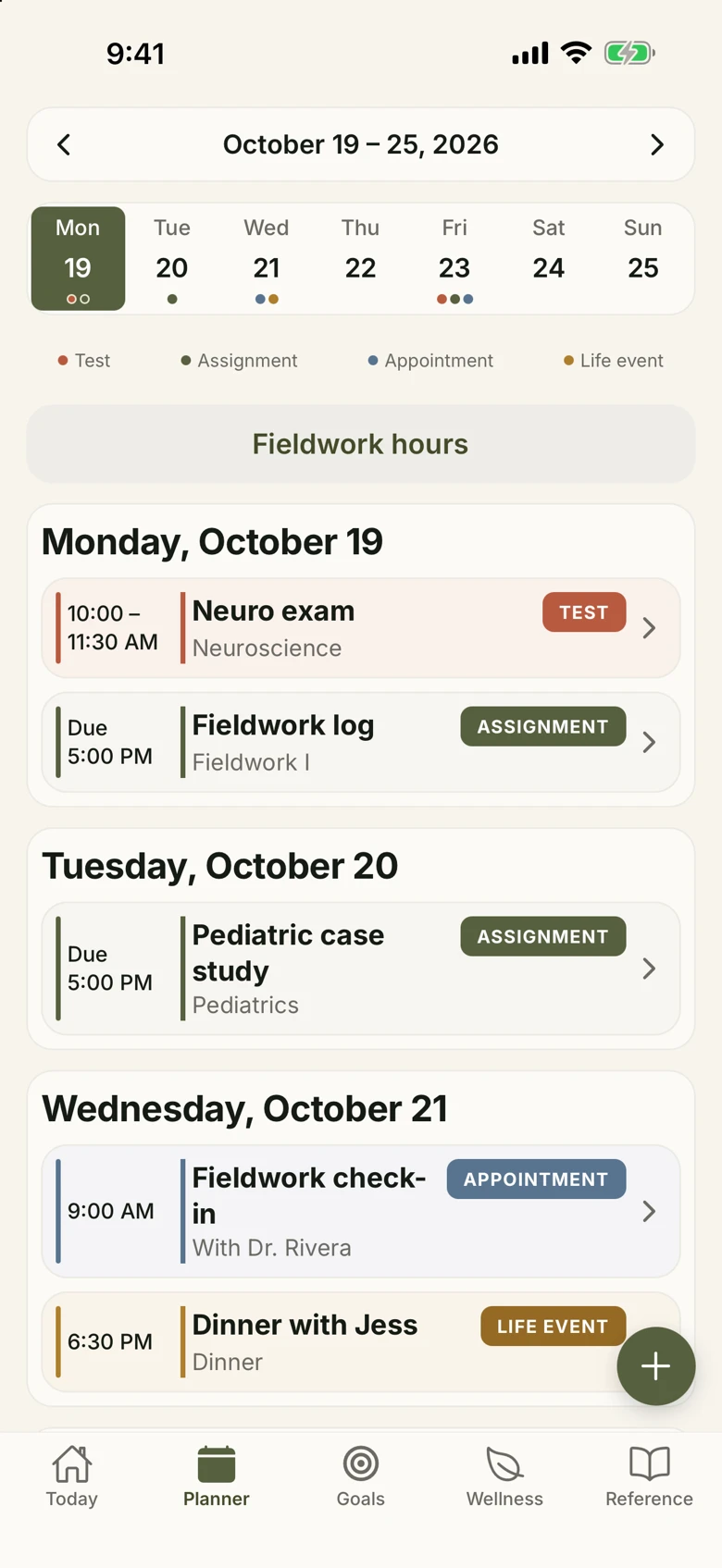
Planner: a week of assignments, tests, appointments and life events.
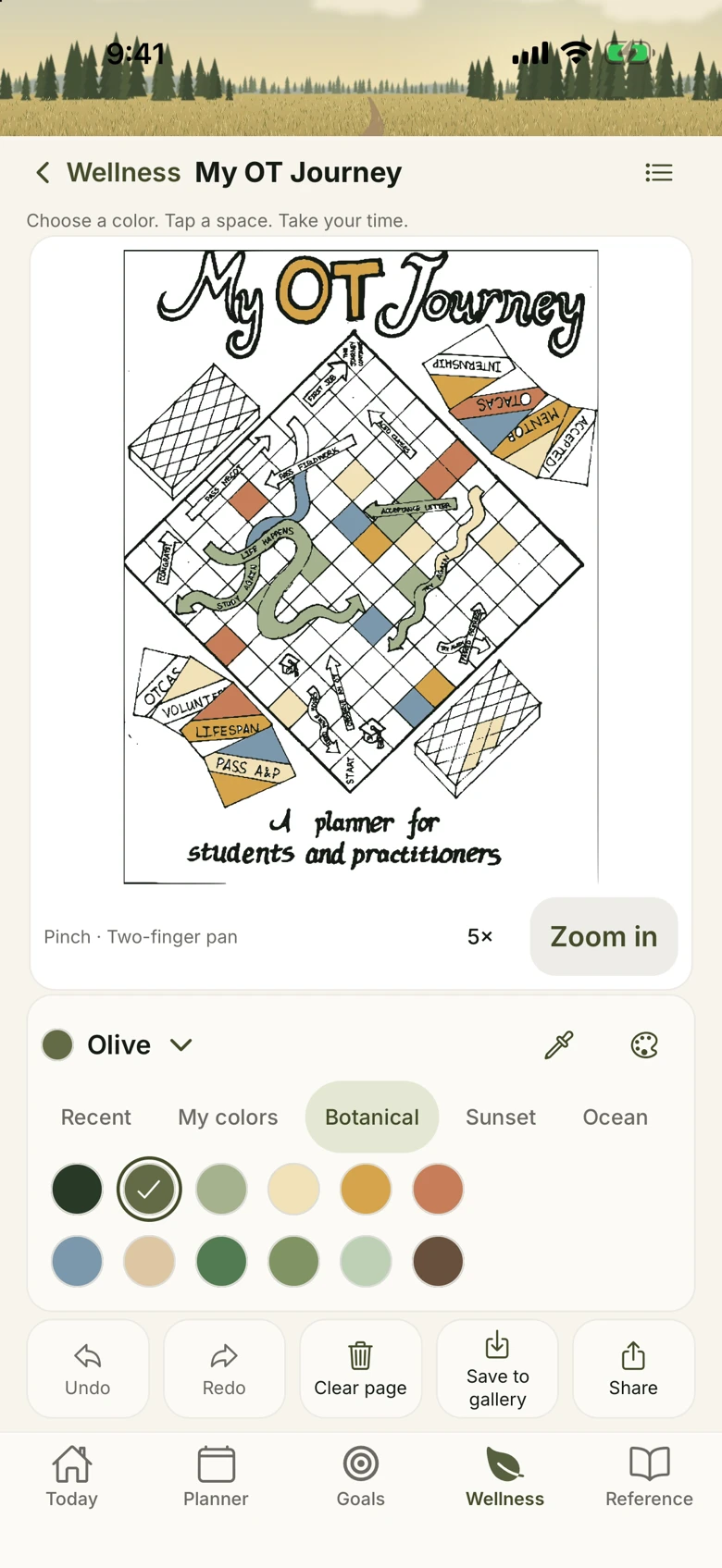
Robin’s coloring page with saved colors and the coloring tools.
Today: mood, gratitude, sleep and daily check-in.

Sample student shown

From Robin’s planner

A real life.
A different kind of planner.

Robin began OT school eight months pregnant. She’s a professor, clinician and mother of three.

My OT Journey brings her printed student planner into an app, with space for your plans and personal reflections.

Created by Dr. Robin Akselrud, OTD, OTR/L

A day in the app

Meet your everyday.

Skip the app tour ↓

01 / Today

Start here.

Mood, gratitude, nourishment and what’s due. One daily check-in list brings your day together.
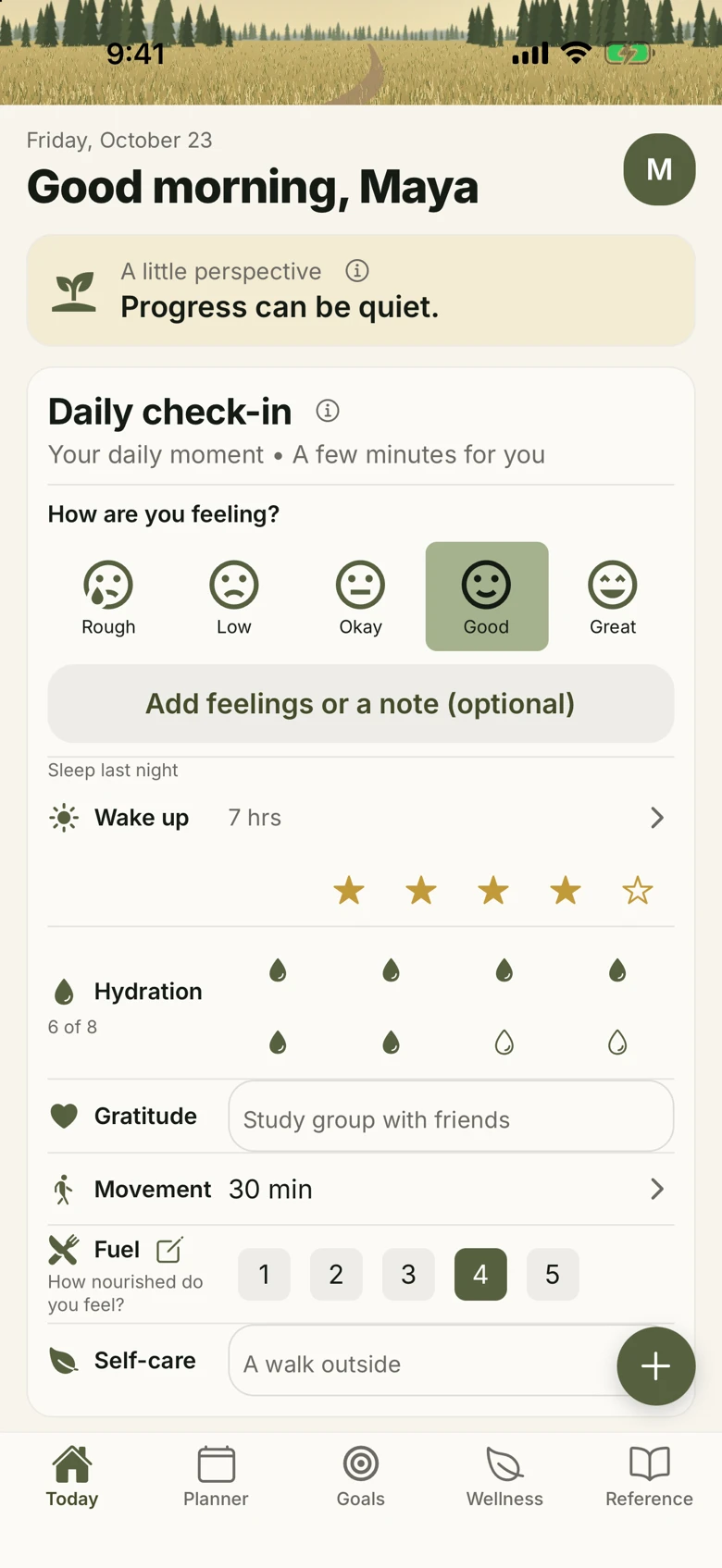
Today: mood, gratitude, sleep and daily check-in.

02 / Planner

See what’s next.

Assignments, tests, appointments and life events. Your day, week or month in view.

Planner: a week of assignments, tests, appointments and life events.

03 / Goals

Give progress a place.

Weekly and monthly goals for study, fieldwork, wellbeing and reflection. Update your progress as you go.
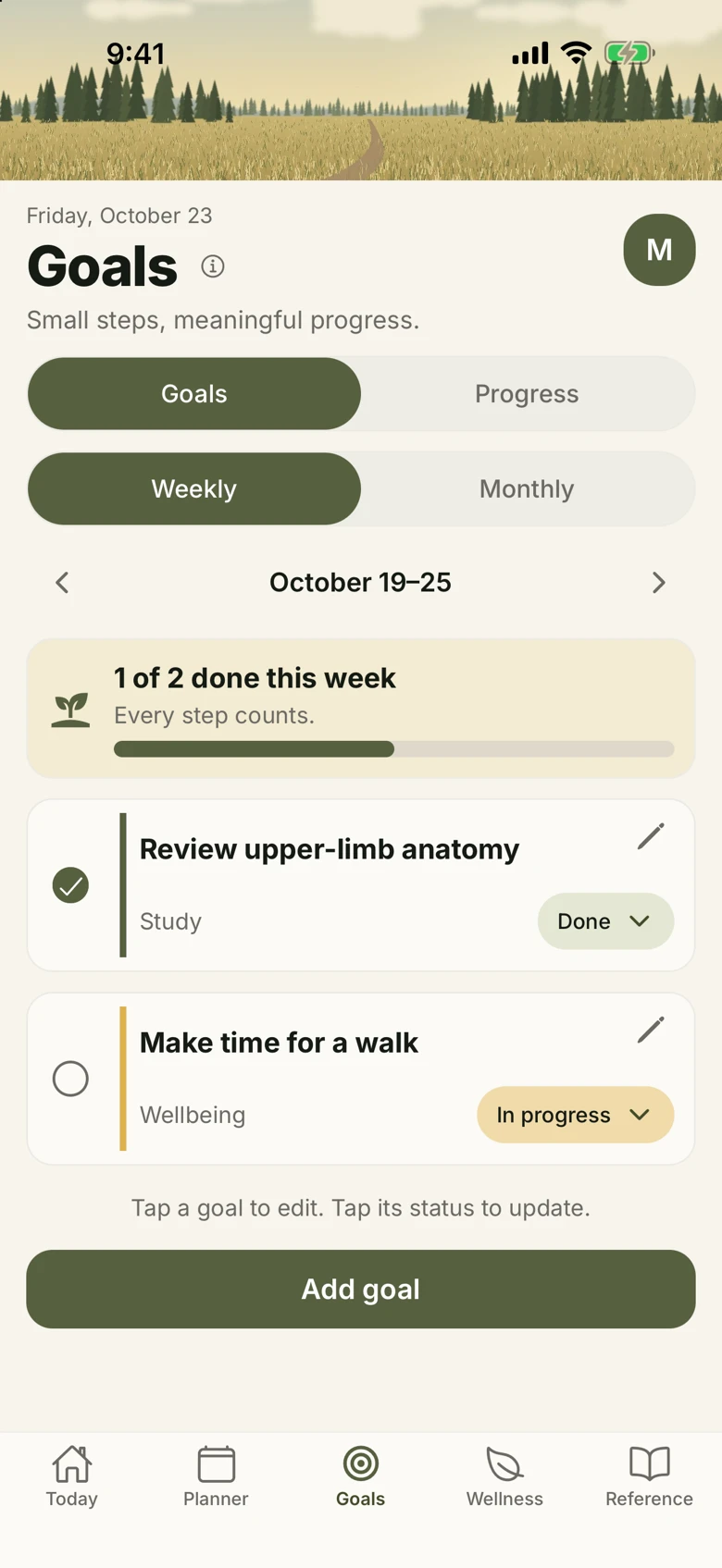
Goals: weekly study and wellbeing goals with progress updates.

04 / Coloring

Make space for color.

Robin’s original artwork, ready to fill. Save your work to a private gallery.

Robin’s coloring page with saved colors and the coloring tools.

05 / Reference

Keep useful things close.

Search and bookmark seven clinical topics. The Reference works offline.
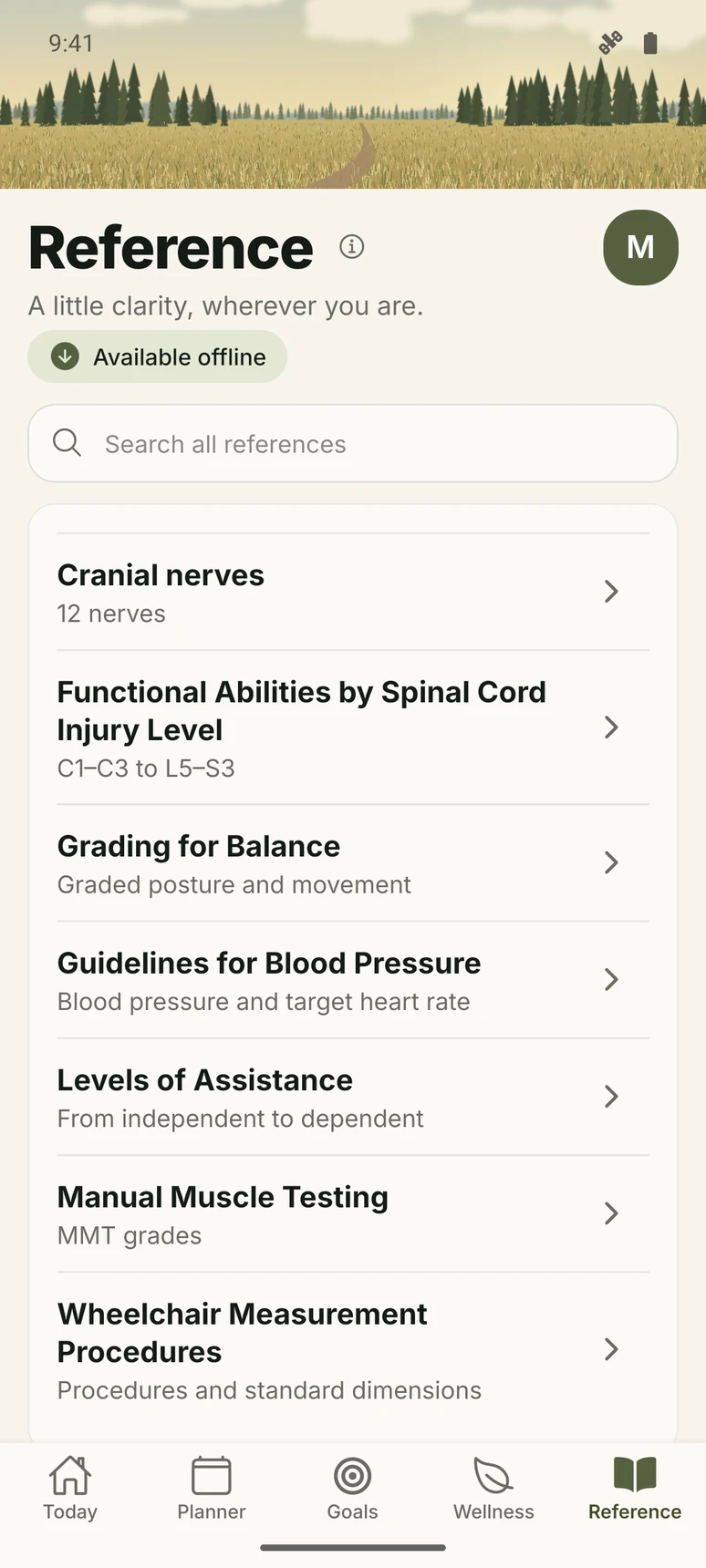
Reference: seven clinical topics and offline search. Android screen.

What’s inside

Depth beyond
the daily plan.

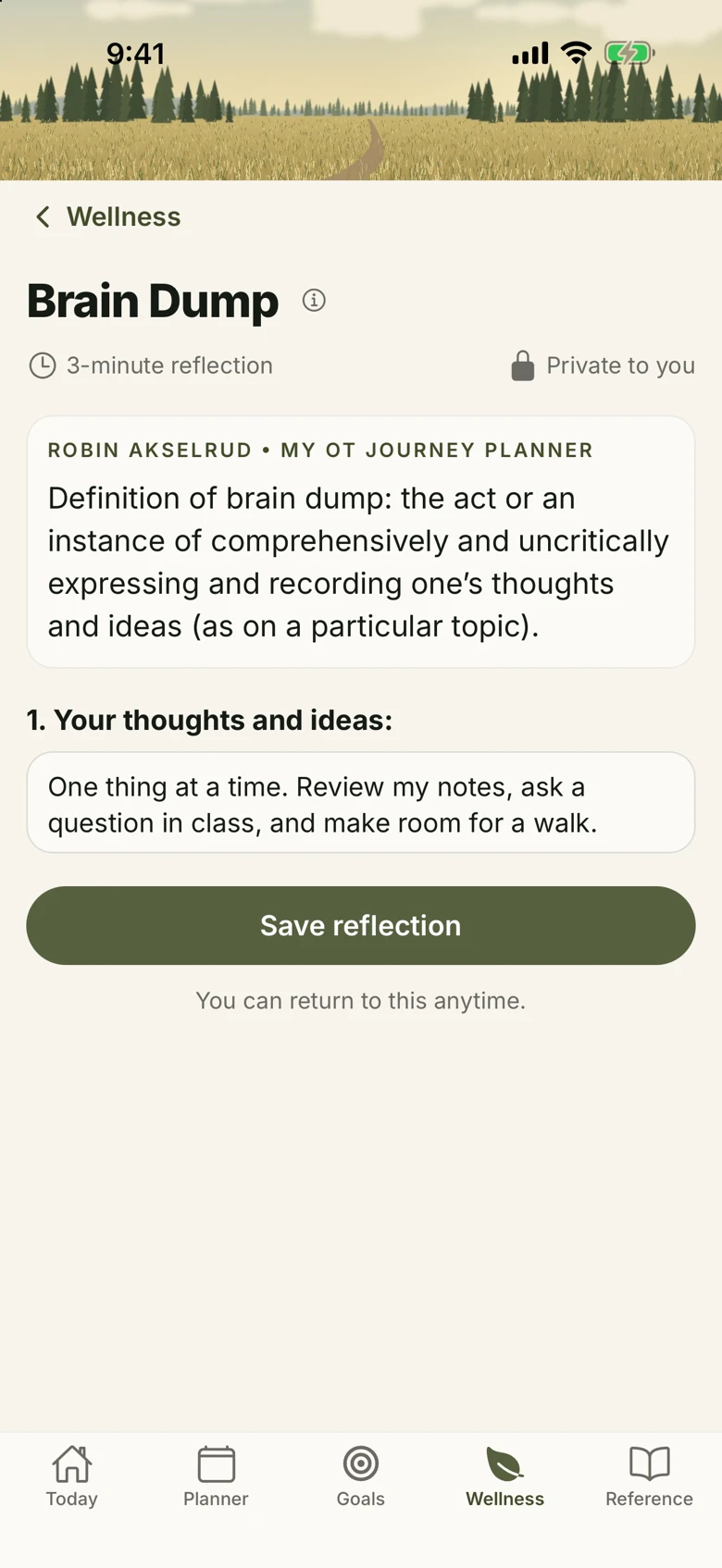
Brain Dump: a private reflection worksheet.

A place to put
what’s on your mind.

Brain Dump, Choosing Priorities and Remember Why You Started. Save your reflections and reopen them whenever you need.

From people in practice

OT and OTA stories, plus movement tips from Shannon Walsh, CSCS, CES, CPT.

Reference, even offline

Seven clinical topics, with search and bookmarks.

Reference topics & source credits
  1. Cranial nerves
    Text reprinted with permission from Bottomley, J. (2000). Quick reference dictionary for physical therapy. Thorofare, NJ: SLACK Incorporated.
  2. Functional Abilities by Spinal Cord Injury Level
    Text reprinted with permission from Jacobs, K., & Simon, L. (Eds.). Quick Reference Dictionary for Occupational Therapy, Seventh Edition (pp. 314-319). © 2020 SLACK Incorporated.
  3. Grading for Balance
    Text reprinted with permission from Jacobs, K., & Simon, L. (Eds.). Quick Reference Dictionary for Occupational Therapy, Seventh Edition (pp. 324-326). © 2020 SLACK Incorporated.
  4. Guidelines for Blood Pressure
    Text reprinted with permission from Jacobs, K., & Simon, L. (Eds.). Quick Reference Dictionary for Occupational Therapy, Seventh Edition (p. 335). © 2020 SLACK Incorporated.
  5. Levels of Assistance
    Text reprinted with permission from Jacobs, K., & Simon, L. (Eds.). Quick Reference Dictionary for Occupational Therapy, Seventh Edition (p. 357). © 2020 SLACK Incorporated.
  6. Manual Muscle Testing
    Text reprinted with permission from Jacobs, K., & Simon, L. (Eds.). Quick Reference Dictionary for Occupational Therapy, Seventh Edition (pp. 358-359). © 2020 SLACK Incorporated.
  7. Wheelchair Measurement Procedures
    Text reprinted with permission from Jacobs, K., & Simon, L. (Eds.). Quick Reference Dictionary for Occupational Therapy, Seventh Edition (p. 490). © 2020 SLACK Incorporated.

Built on purpose

Pick up
where you are.

No streaks.

Days count across your semester. A missed day doesn’t erase earlier progress.

Your timing.

Choose your reminders and daily check-in time.

Offline, too.

Saved plans stay available offline. Queued changes sync when you reconnect.

For OT programs

Participation in view.
Personal answers out.

Students choose whether to join their program. They see what’s shared before giving consent.

Participation is not a measure of wellbeing or academic performance.

Bring it to your program Explore the program view ↗

Privacy, plainly

Your words.
Your space.

Read the privacy policy ↗

Private by default.

Saved entries are protected for your signed-in account. The app has no advertising or third-party analytics.

School sharing is optional.

Use the app without joining a program. Leave your school with an internet connection to stop appearing in future staff results.

You decide when to leave.

Delete your account in Profile with an internet connection. Previously exported school files remain with their recipients.

Your next chapter

Make room
for your day.

Planning, reflection and a little space for yourself.

Join the iPhone beta

In App Store review · Android coming soon